
Online Shopping Checklist for Beginners
Table of Contents
- Why an Online Shopping Checklist Matters
- Online Shopping Safety Tips Before You Buy
- How to Tell if an Online Store Is Legitimate
- How to Compare Prices Online Effectively
- Understanding Online Shopping Return Policy Before Checkout
- Building Your Personal Online Shopping System
- Common Mistakes Beginners Make Online
- Frequently Asked Questions
Last Updated: October 11, 2026
Why an Online Shopping Checklist Matters
Shopping online can feel overwhelming at first. There are so many sites, so many choices, and so much uncertainty about whether you're making the right decision. An online shopping checklist for beginners removes that guesswork and gives you a framework to shop with confidence.
Think of a checklist as your safety net. It walks you through the essential steps before you click "buy now." You verify the store is real. You compare prices. You understand the return policy. You avoid impulse purchases that don't fit your needs.
The result? You spend less time second-guessing yourself and more time enjoying what you bought. You avoid the common traps that trip up new online shoppers.
A good checklist catches problems before they become expensive mistakes. It takes five minutes to check a return policy. It takes weeks to deal with a return you didn't understand. This guide walks you through the exact checklist you need.
Online Shopping Safety Tips Before You Buy
Before your cursor lands on that "checkout" button, security matters. Online shopping puts your personal information at risk if you're not careful. A few quick checks prevent most problems.
First, always check that the website uses secure encryption. Look at the web address. It should start with "https://" not just "http://". That "s" means your data is encrypted. You'll also see a small padlock icon in your browser's address bar. If it's missing, don't enter any payment information on that site.
Second, never use public Wi-Fi for shopping. Coffee shops, libraries, and airports have open networks. Hackers can intercept your payment details on these connections. Use your home network or your phone's personal hotspot instead.
Third, check the site's privacy policy. It should explain what they do with your email, address, and payment information. If they say they'll sell your data to third parties, that's a red flag. A legitimate retailer protects customer information.
- Use strong, unique passwords for each shopping account
- Enable two-factor authentication when available
- Never share your full credit card number via email or chat
- Check your credit card statements monthly for unauthorized charges
- Use a credit card instead of a debit card (better fraud protection)
How to Tell if an Online Store Is Legitimate
Not every website selling products is trustworthy. Scam sites look professional. They have product photos and checkout pages. The difference is in the details.
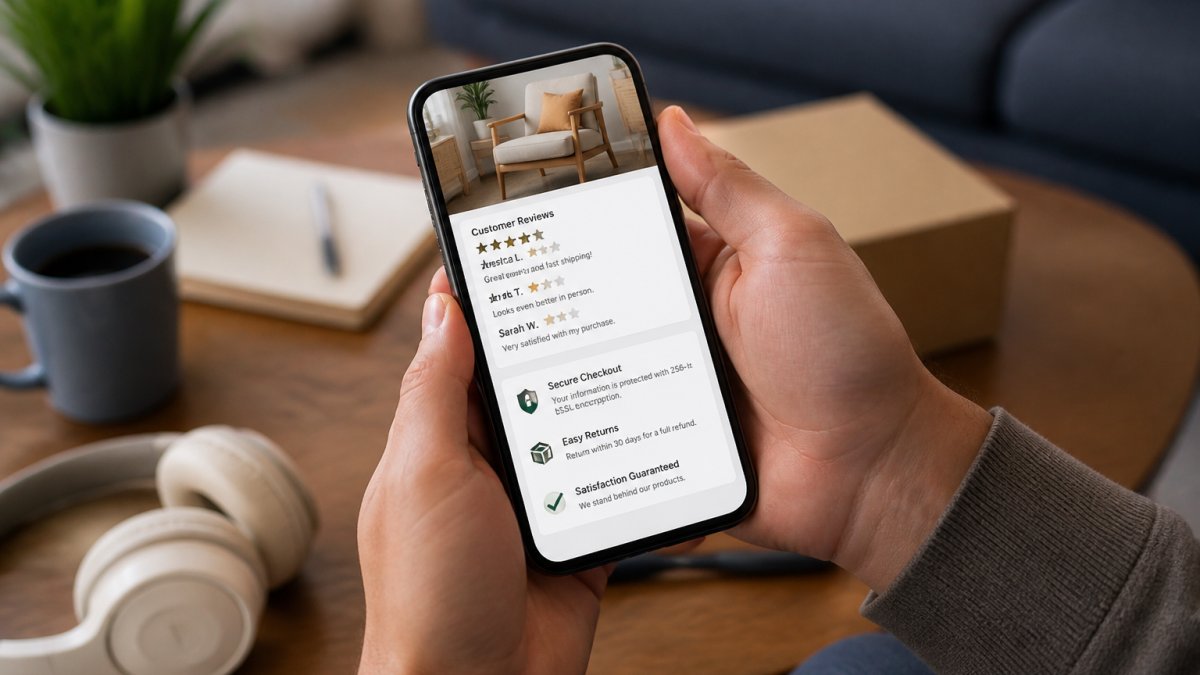
Start by looking for contact information. A real business has a phone number, email address, and physical mailing address. If the "Contact Us" page only has a contact form with no way to actually reach someone, that's suspicious.
Check for customer reviews. Real sites have reviews on their product pages or on independent review platforms. Read a mix of positive and negative reviews.
Look for trust badges and certifications. Legitimate retailers display security seals from companies like Norton, McAfee, or Trustmark. These badges mean the site has been verified as safe. You can click the badge to confirm it's real.
Read the return policy carefully. A legitimate store has a clear, detailed return policy. They explain how long you have to return items, whether you get a refund or store credit, and who pays for return shipping.
Research the company online. Search "[store name] + scam" or "[store name] + reviews" in Google. If multiple sites report problems, trust that feedback.
- Look for an "About Us" page that explains the company's history and mission
- Check if they're registered with the Better Business Bureau
- Verify their social media accounts are active and have real followers
- See if major news outlets have written about them
- Check how long the domain has been registered (use WHOIS lookup tools)
How to Compare Prices Online Effectively
Price comparison sounds simple. You find the same item on two sites and pick the cheaper one. Reality is more complicated. Shipping costs, sales tax, and return policies change the actual price you pay.
Start by searching for the exact product name and model number. Generic searches like "blue backpack" return hundreds of results. Specific searches like "Patagonia Daypack 25L" show you the exact item across different retailers.
Look at the total cost, not just the item price. A backpack might cost $79 on one site and $85 on another. But if the first site charges $15 shipping and the second offers free shipping, the second is actually cheaper.
Check the seller's reputation on each platform. The same product might be sold by the official brand, by authorized retailers, or by third-party sellers. Official channels usually offer better support and faster returns. Third-party sellers sometimes offer lower prices but with less protection.
Watch for price drops over time. If you're not in a rush, set up price alerts on shopping sites. Many retailers drop prices during sales events. A patient shopper can save significantly by waiting for the right moment.
Compare more than just price. A cheaper option might have slower shipping, a harder return process, or worse customer service. Sometimes paying a bit more upfront saves frustration later. Factor in convenience and peace of mind.
- Use browser extensions that automatically apply coupon codes at checkout
- Sign up for email newsletters to get exclusive discount codes
- Compare shipping times, not just shipping costs
- Check if the retailer offers price matching
- Look for bundle deals that combine items you need
Understanding Online Shopping Return Policy Before Checkout
Return policies are the safety net for online shopping. You can't touch the item before buying. Returns are how you fix mistakes. Yet many shoppers never read the policy until they need to return something.
A good return policy answers these questions clearly: How many days do you have to return items? Do you get a refund or store credit? Who pays for return shipping? What condition must the item be in?
Most legitimate retailers give you 30 days to return items. Some offer 60 or 90 days. Shorter windows (14 days or less) are harder to work with, especially for items you want to try at home first.
Check whether you get a refund to your original payment method or store credit. Refunds are better because you get your money back. Store credit means you can only use the money at that retailer.
Return shipping costs matter. If you buy a $40 item and return shipping costs $10, your refund is really only $30. Some retailers offer free return shipping. Others require you to pay. A few offer prepaid return labels. Free returns make it easier to buy with confidence.
Read the condition requirements. Most stores require items to be unused with original packaging. Some allow returns of used items. Others won't accept returns if the packaging is opened. Know the rules before you buy.
- Ask about the return process before buying (email support if it's not clear)
- Keep all packaging and receipts until the return window closes
- Take photos of items before returning them (proof of condition)
- Use tracked shipping for returns so you have proof of delivery
- Check if the retailer has physical stores where you can return items in person
Building Your Personal Online Shopping System
Successful online shoppers use systems. They don't make random purchases. They plan, they compare, they decide. A system removes emotion from shopping and saves money.
Start by making a list of what you actually need. Not want, need. Big difference. A need is something that solves a problem or fills a gap in your life. A want is something that looks nice but you don't really require.
Use a spreadsheet or note app to track your searches. Write down the item, the stores you checked, the prices you found, and the return policies. This record helps you spot patterns. You'll notice which retailers consistently offer better prices or faster shipping.
Set a budget before you start shopping. Decide how much you're willing to spend on each item and on your total shopping trip. When you hit your budget, stop. This simple rule prevents overspending. It forces you to prioritize what matters most.
Create a "waiting list" for items you're interested in but don't need immediately. Add these to a note or browser bookmark folder. Wait 48 hours before buying anything on the list. Most impulse purchases lose their appeal after a day or two.
Unsubscribe from marketing emails that tempt you to shop. Retailers send constant promotions designed to trigger purchases. Less email noise means fewer temptations. You can always visit a site directly when you need something.
- Use browser bookmarks to organize your favorite retailers
- Set up price alerts for items you're actually planning to buy
- Track your spending by category (clothing, home, electronics, etc.)
- Review your purchases monthly to see what you actually use
- Delete items from your cart after 24 hours if you're still unsure
Common Mistakes Beginners Make Online
New online shoppers make predictable mistakes. Knowing them helps you avoid them.
The biggest mistake is shopping without a checklist. You click around, find something interesting, and buy it without checking the basics. Is the site legitimate? What's the return policy? How much is shipping?
Another common error is trusting product photos blindly. Photos are edited, lit perfectly, and sometimes show items that don't match the description. Read the written description carefully. Check the dimensions.
Many beginners ignore shipping costs until checkout. A $30 item with $15 shipping is really a $45 purchase. Calculate the total cost early in your decision.
Impulse buying is the silent killer of online shopping budgets. You see something on sale and buy immediately. Thirty minutes later you realize you don't need it. The 48-hour rule stops this. Wait two days.
Using weak passwords is dangerous. You reuse the same password across multiple shopping sites. One data breach exposes all your accounts. Use a password manager to create unique, strong passwords for each retailer.
Not reading reviews is another trap. You buy based on the product description alone. Then the item arrives and it's nothing like you expected. Customer reviews show you reality.
- Don't shop when you're emotional (angry, sad, or bored)
- Avoid shopping late at night when you're tired
- Don't use "remember my payment information" on shared computers
- Avoid clicking links in emails to shop (go directly to the website instead)
- Don't buy from sites with no customer service contact information
Shopping online doesn't have to be stressful. Our curated selection of lifestyle and home goods is built on the same principles: quality verification, transparent policies, and customer support you can trust.
Frequently Asked Questions
What should I check before buying something online?
Before completing a purchase, verify the store's legitimacy by checking for security badges, reading customer reviews, and confirming a clear return policy. Review the product listing carefully for accurate descriptions, images, and specifications. Check shipping costs, delivery timeframes, and any additional fees. Confirm the seller's contact information and customer support options are readily available. Finally, ensure the checkout process uses secure payment methods with encryption protection.
How can I compare prices when shopping online?
Use multiple retailers' websites to check the same product across different sellers. Note the base price, shipping costs, taxes, and any applicable discounts or coupon codes, as these significantly affect the final total. Look for unit pricing on consumables to compare value accurately. Check if the product differs between sellers, sometimes listings appear similar but have different features or quality levels. Set up price alerts on shopping platforms to track price drops over time, and compare total cost-to-door rather than just the listed price.
How do I return an online order if I'm not satisfied?
Read the return policy before purchasing, look for the return window (usually 30-60 days), whether returns are free or cost extra, and which items are returnable. Most legitimate online retailers provide a returns portal or label in your order confirmation. Start a return request through your account, package the item securely, and ship it back within the specified timeframe. Keep tracking numbers and receipts until the refund is confirmed. Some retailers offer free returns; others deduct shipping costs. Always photograph items before returning to document their condition.
How can beginners shop safely online?
Use strong, unique passwords for each shopping account and enable two-factor authentication when available. Only shop on secure websites (look for 'https' in the URL and a padlock icon). Avoid public Wi-Fi for shopping transactions. Use reputable payment methods like credit cards or PayPal, which offer fraud protection. Never share sensitive information via email or chat unless you initiated contact with verified customer support. Check your bank and credit card statements regularly for unauthorized charges. Research sellers before purchasing, and be cautious of deals that seem too good to be true.